Upgrading Angular across multiple major versions can be daunting, especially when you’re dealing with an Ionic app that has its own set of dependencies. In this guide, I’ll walk you through the process of upgrading from Angular 18 to 21, covering the errors I encountered and how I solved them.
I used the WebNative VS Code extension to automate much of this process.

Throughout this guide, I’ll show you the commands it runs under the hood so you can run them manually if you prefer.
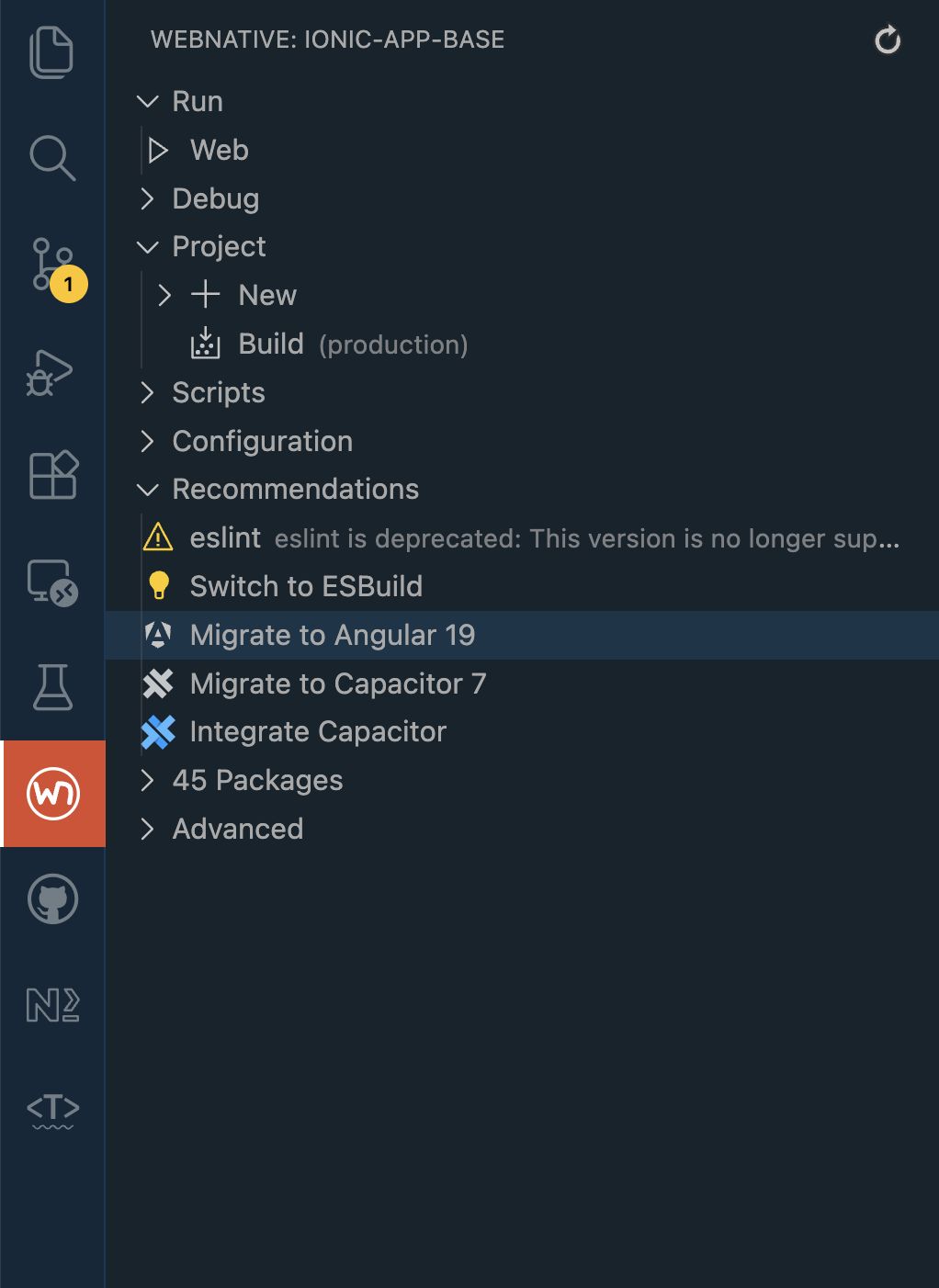 WebNative extension sidebar with “Migrate to Angular 19” recommendation
The App
This guide is based on my experience upgrading Stream Chat, an Ionic Angular chat application featuring group messaging, photo grids, file attachments, message reactions, and a long-press context menu (similar to Telegram or WhatsApp).
Important context: My app is relatively small with around 45 dependencies, mostly within the Angular/Ionic ecosystem. If your app has many third-party dependencies outside this ecosystem, you may encounter additional compatibility issues that require more careful handling.
Prerequisites
- Node.js (LTS version recommended)
- An existing Ionic Angular app on v18
- pnpm (or npm/yarn - adjust commands accordingly)
The Upgrade Path
Angular recommends upgrading one major version at a time. So the path is:
18 → 19 → 20 → 21The official Angular Update Guide is your friend here. Select your current and target versions to get customized instructions.
Testing is critical: After each version upgrade, thoroughly test your app before proceeding to the next version. Run your build, run your tests, and manually test key functionality. Catching issues early makes debugging much easier than trying to figure out which of three upgrades broke something.
Step 1: Angular 18 to 19
When you click “Migrate to Angular 19” in WebNative, it prompts you to confirm:
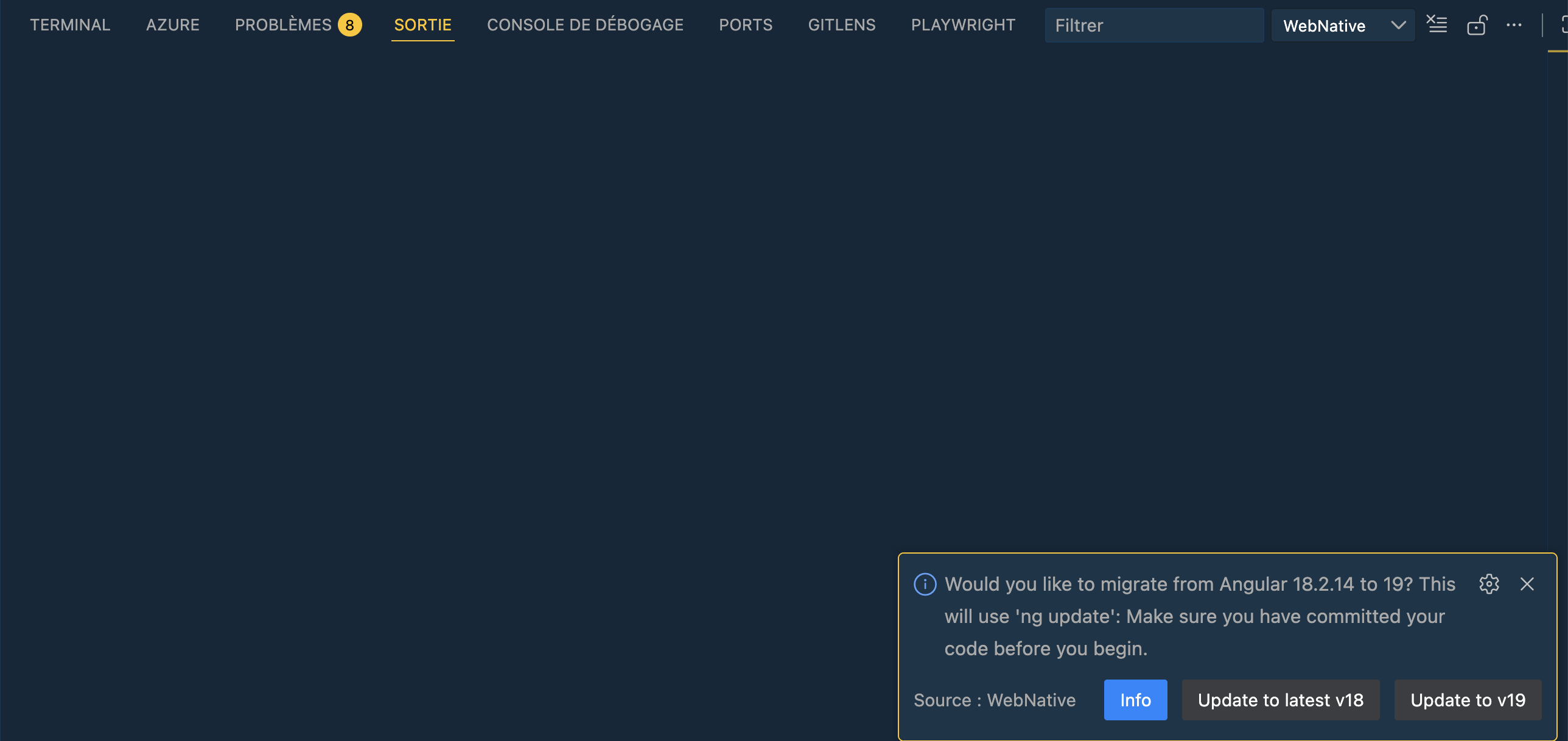 WebNative prompts to confirm migration and reminds you to commit your code first
The Problem: Peer Dependency Conflicts
If you run the update without flags, you’ll hit peer dependency errors:
 The
The @angular-eslint/schematics package has incompatible peer dependencies
What WebNative Runs Under the Hood
WebNative runs the following command:
pnpm exec ng update @angular/cli@19 @angular/core@19 --allow-dirty --forceThe flags:
--allow-dirty- Allows the update even if you have uncommitted changes. Caution: It’s always best to commit your changes before running an update, even when using this flag.--force- Proceeds despite peer dependency conflicts. Caution: Use this with care. It’s useful for overcoming issues like the ESLint package conflicts that you plan to resolve immediately after, but it can force through genuinely incompatible packages.
Updating Related Packages
After the core update, WebNative updates these packages separately if they exist in your project:
pnpm add @angular/cdk@19 --save-exact --forcepnpm add @angular-eslint/builder@19 @angular-eslint/eslint-plugin@19 @angular-eslint/eslint-plugin-template@19 @angular-eslint/schematics@19 @angular-eslint/template-parser@19 --save-exact --forceESLint: Uninstall and Start Fresh
WebNative recommended uninstalling ESLint entirely. Here’s why:
- ESLint 8.x reached end-of-life on October 5, 2024 (source)
- ESLint 9 uses a new “flat config” format (
eslint.config.js) - the old.eslintrcformat is deprecated (migration guide) - Peer dependency conflicts - ESLint 8.x has conflicts with newer angular-eslint packages
Rather than wrestle with complex migration, WebNative suggests removing ESLint and re-adding it fresh:
pnpm remove eslintAfter your Angular upgrade is complete, you can re-add ESLint with the new flat config format:
ng add @angular-eslint/schematicsThis sets up ESLint 9 with the modern eslint.config.js configuration file that Angular 19+ expects. Note that this command will likely prompt you for some configuration choices to tailor the setup to your project.
Optional Migrations
Angular CLI offers optional migrations like use-application-builder (the new esbuild-based build system). How you get these depends on how you run the update:
If using WebNative: The extension runs ng update in the Output panel (non-interactive), so optional migrations are skipped. You can run them manually afterward:
ng update @angular/cli --name use-application-builderIf running manually in terminal: You’ll see interactive prompts to select migrations:
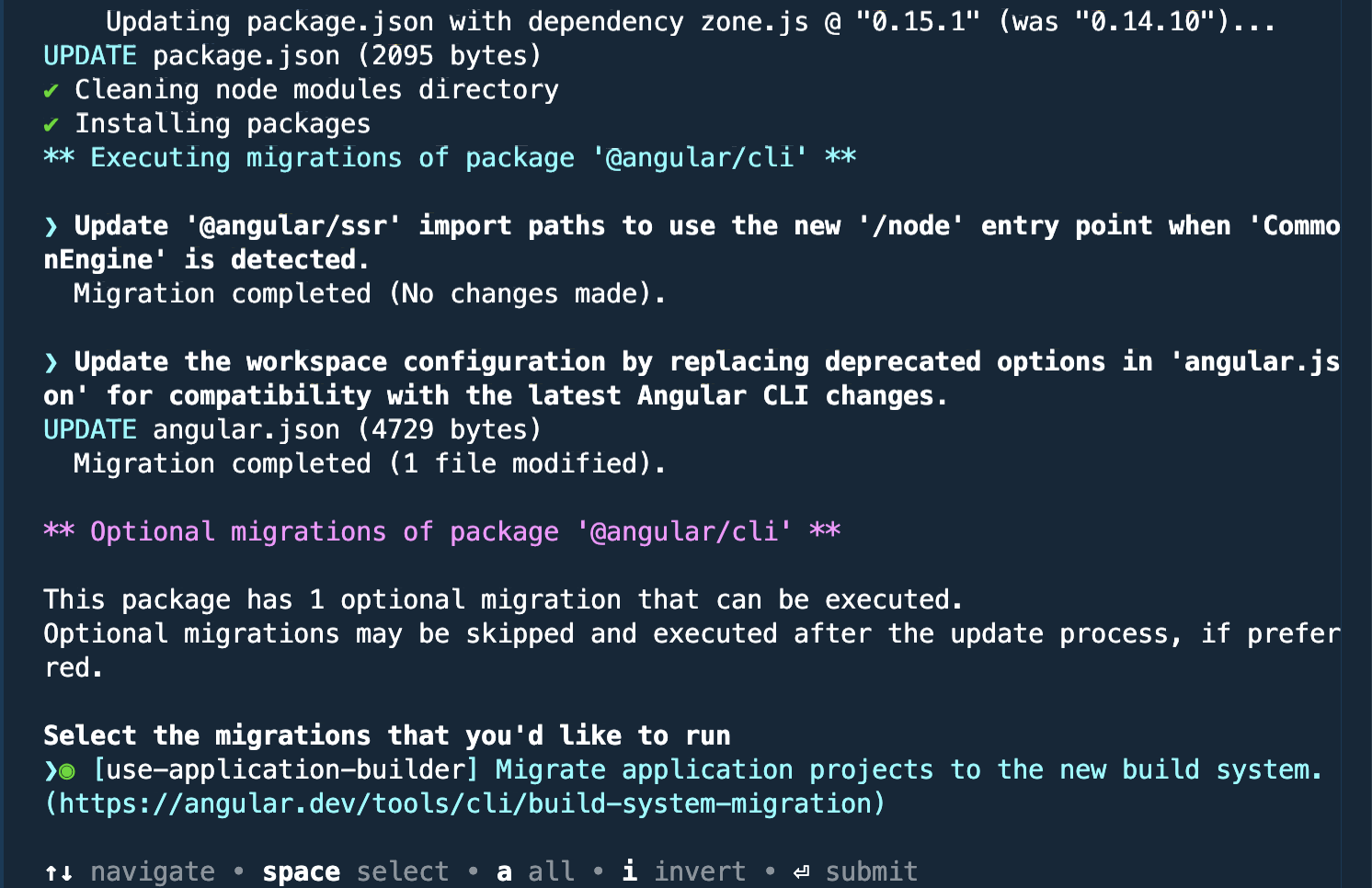 Select
 use-application-builder to migrate to the new esbuild-based build system
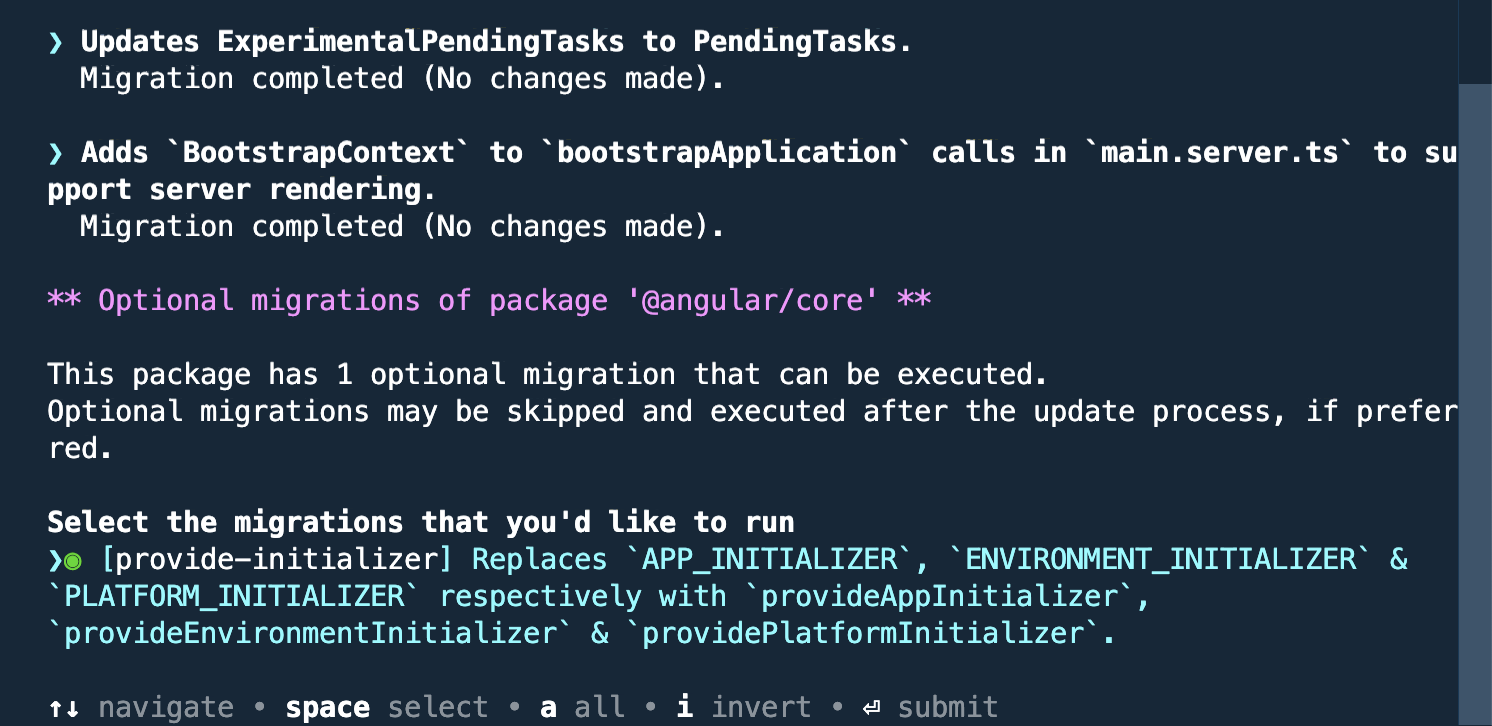 Select
 provide-initializer to migrate to the new provideAppInitializer function
The key optional migrations for Angular 19 are:
use-application-builder- Migrates to the new esbuild-based build system (recommended for significantly faster build times).provide-initializer- Replaces the legacyAPP_INITIALIZERmulti-provider token with the new, tree-shakableprovideAppInitializerfunction for running initialization logic.
What Changed in package.json
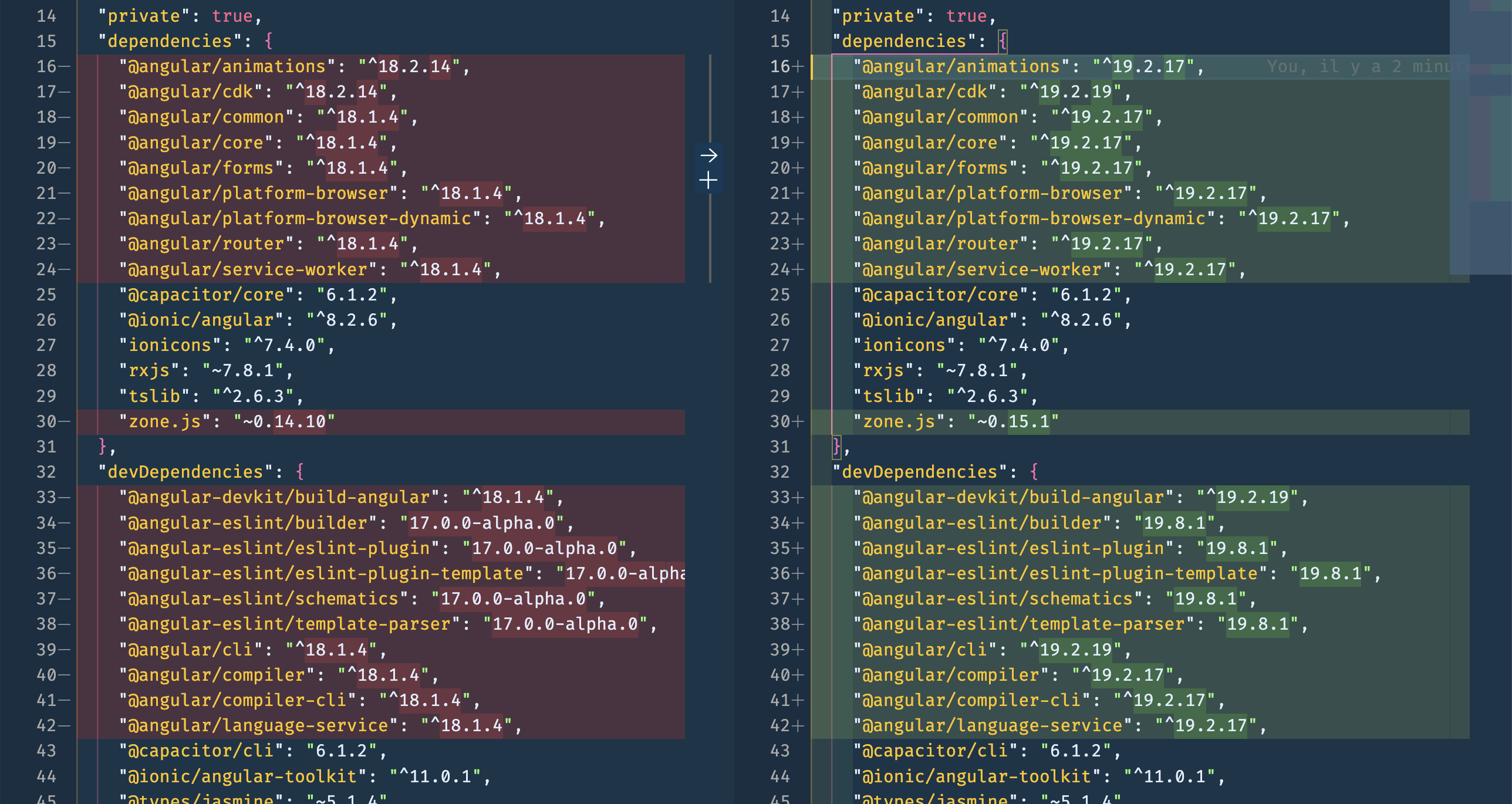 All @angular packages updated from 18.x to 19.x
Important: Output Path Change
The new build system changes the output directory structure:
Before: www/
After:  www/browser/
You may need to update your deployment pipeline, or set outputPath.browser to "" in angular.json to maintain the previous behavior.
IDE Quirks
After the update, you might see false errors in your components (especially around standalone components). The migration removes the now-default standalone: true property:
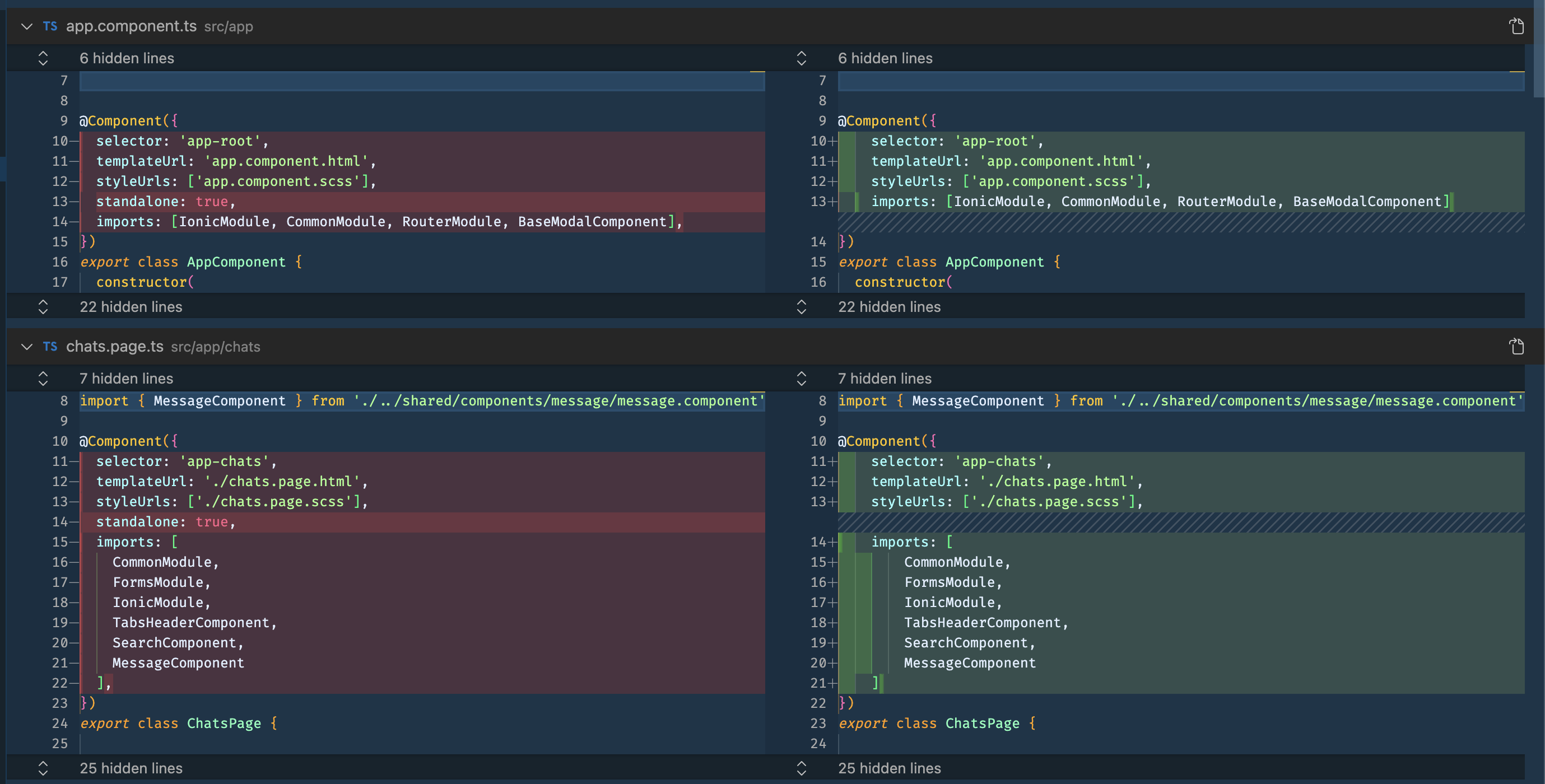 The migration removes
 standalone: true since it’s now the default in Angular 19+
If you see errors after this change:
- Restart the Angular Language Service extension
- If that fails, restart your IDE
Test Before Proceeding
Before moving to Angular 20, make sure to:
pnpm run build
pnpm run test
pnpm start  # Manual testing
Fix any issues before proceeding to the next version.
Step 2: Angular 19 to 20
pnpm exec ng update @angular/cli@20 @angular/core@20 --allow-dirty --forceThis upgrade went smoother, but I hit a build error with Ionic:
Error: node_modules/.pnpm/@ionic+core@8.7.16/node_modules/@ionic/core/dist/types/components.d.ts:4330:15
- error TS2320: Interface 'HTMLIonInputElement' cannot simultaneously extend types 'IonInput' and 'HTMLStencilElement'.
Named property 'autocorrect' of types 'IonInput' and 'HTMLStencilElement' are not identical.
Understanding the Problem
This is a type conflict between Ionic’s Stencil-generated types and TypeScript 5.9’s stricter type checking. The autocorrect property is defined differently in two parent interfaces.
The Solution
Add skipLibCheck to your tsconfig.json:
{
  "compilerOptions": {
    "skipLibCheck": true
  }
}
This tells TypeScript to skip type checking of declaration files (.d.ts), which is safe for dependency type conflicts you can’t control.
Reference: GitHub Issue #30650
Service Worker Configuration Change
If you’re using PWA features, you might encounter:
Data path "" must NOT have additional properties(ngswConfigPath)The fix is to update angular.json:
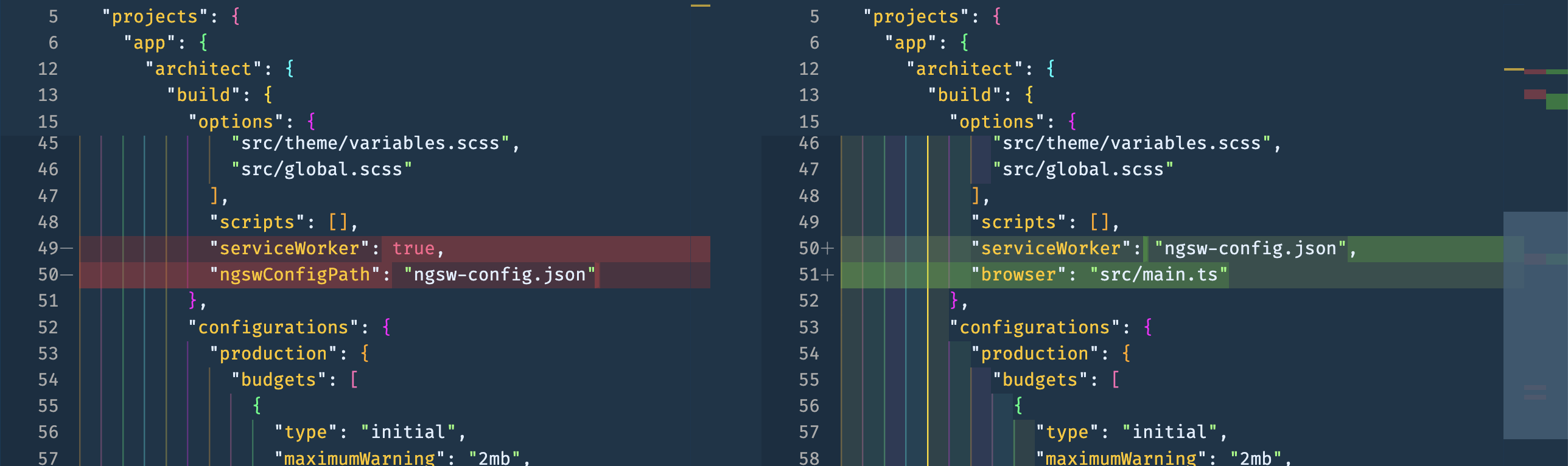 Replace the separate
 serviceWorker and ngswConfigPath properties with a single serviceWorker path
Replace:
"serviceWorker": true,
"ngswConfigPath": "ngsw-config.json"
With:
"serviceWorker": "ngsw-config.json"Reference: Ionic Forum Discussion
Verify and Test
Again, test thoroughly before moving to Angular 21:
pnpm run build
pnpm run test
pnpm start
Step 3: Angular 20 to 21
pnpm exec ng update @angular/cli@21 @angular/core@21 --allow-dirty --forceThis is where TypeScript’s stricter type checking really showed up.
The TouchEvent vs MouseEvent Error
I had a custom LongPressDirective that handles both touch and mouse events:
@HostListener('touchstart', ['$event'])
@HostListener('mousedown', ['$event'])
onPress(event: MouseEvent) {
  // ...
}
After the upgrade, TypeScript threw:
Argument of type 'TouchEvent' is not assignable to parameter of type 'MouseEvent'.
Type 'TouchEvent' is missing the following properties from type 'MouseEvent':
button, buttons, clientX, clientY, and 15 more.
Why This Error Appeared Now
This error was always a latent bug, but it was hidden by older TypeScript’s more lenient checking. Here’s what changed:
| Aspect | Angular 20 (TS 5.5) | Angular 21 (TS 5.9) |
|---|---|---|
| TypeScript Version | 5.5.4 | 5.9.3 |
| Target | es2015 | ES2022 |
| DOM Type Definitions | Less strict | More precise |
| Type Inference | Lenient | Stricter |
The newer TypeScript version has:
- Better DOM type definitions with more accurate event types
- Stricter enforcement of type mismatches in event handlers
- Full ES2022 DOM types (without explicit
liboverride)
The Fix
Change the parameter type to accept both event types:
@HostListener('touchstart', ['$event'])
@HostListener('mousedown', ['$event'])
onPress(event: MouseEvent | TouchEvent) {
  // ...
}

@HostListener('touchend', ['$event'])
@HostListener('touchcancel', ['$event'])
@HostListener('mouseup', ['$event'])
@HostListener('mouseleave', ['$event'])
onRelease(event: MouseEvent | TouchEvent) {
  // ...
}
This is actually a good thing - TypeScript caught a real type safety issue at compile time rather than letting it slip through to runtime.
Post-Upgrade Checklist
After completing all upgrades, do a final comprehensive test:
-
Run the build
pnpm run build -
Run your tests
pnpm run test -
Run linting (if you have ESLint configured)
pnpm run lint -
Manual testing - Test key user flows, especially:
- Touch interactions (if applicable)
- Any features using third-party libraries
- PWA functionality (if applicable)
-
Test on device/emulator - Some issues only appear at runtime on actual devices
Summary
| Version Jump | Key Challenges | Solutions |
|---|---|---|
| 18 → 19 | ESLint peer deps, build system migration | --allow-dirty --force, run optional migrations |
| 19 → 20 | Ionic type conflicts, service worker config | skipLibCheck, update angular.json |
| 20 → 21 | Stricter TypeScript, event type mismatches | Fix union types (MouseEvent | TouchEvent) |
The upgrade process exposed some latent type issues in my codebase, which is ultimately beneficial. Stricter type checking catches bugs earlier and makes the codebase more maintainable.
Remember: My app had ~45 dependencies, mostly within the Angular/Ionic ecosystem. If your app has more complex dependencies, budget extra time for resolving compatibility issues.